Most tour operator software can take a booking.
That is not a particularly exciting benchmark.
The useful question is what happens when you have three departures leaving at once, a guide has called in sick, GetYourGuide has just sold the final two places and someone is standing at the desk asking if you can squeeze in a family of four.
That is where the feature list starts to matter.
If you are comparing tour operator reservation software, these are the seven things we would look at first.
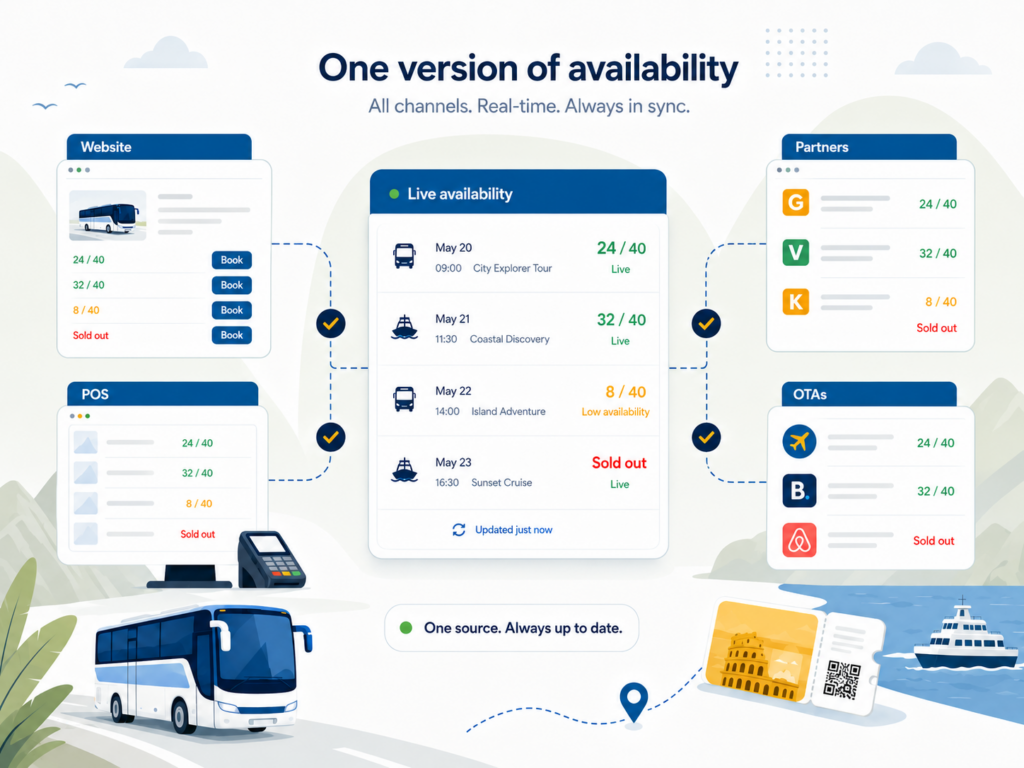
1. One version of availability
This is the big one.
Your website says two places left.
Your ticket desk says two places left.
Your reseller says two places left.
They need to be the same two places.
If each sales channel has its own allocation or needs to be updated manually, overselling becomes less of a possibility and more of a calendar event.
Look for real-time availability across direct sales, POS, partners and connected distribution channels.
If you want the longer version, we’ve written about how real-time updates help reduce overbooking.
2. Sales wherever your customers actually buy
Your booking system should work wherever the booking happens.
That might be:
- your website
- a ticket office
- a mobile POS
- another location
- a hotel desk
- a reseller
- an OTA
The important bit is not having seven different ways to sell.
It is having seven ways to sell without creating seven different versions of the truth.
For operators selling both online and on-site, this is where an all-in-one booking and ticketing system starts to make sense.
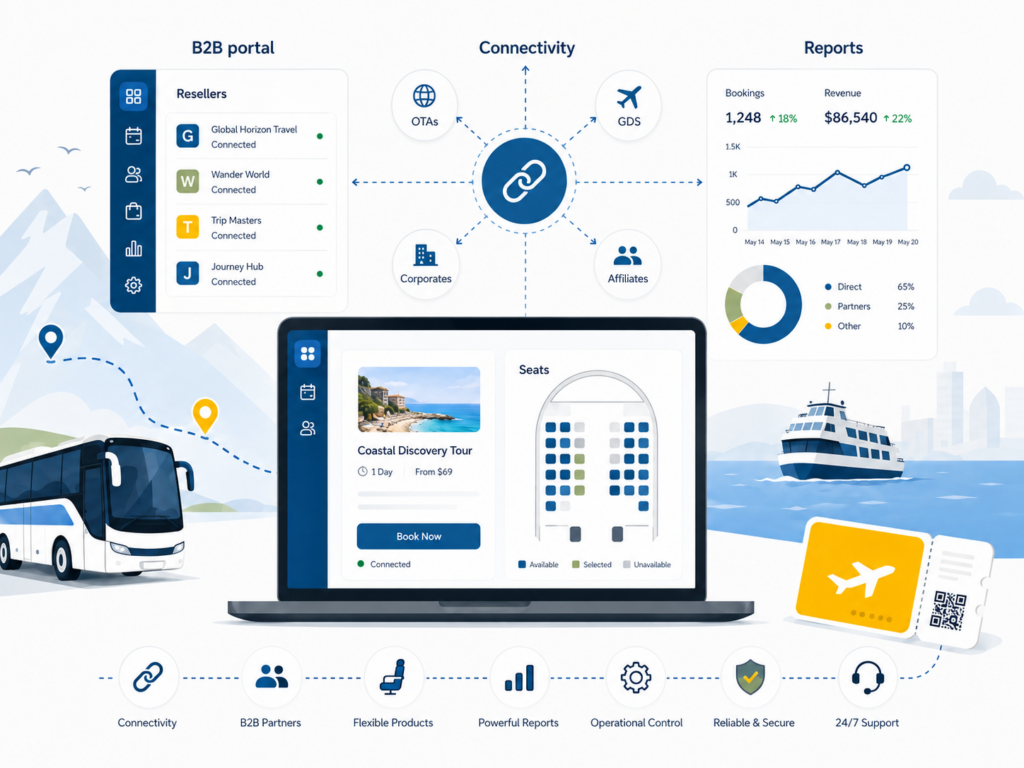
3. Connectivity that does not create another job
OTAs are useful.
Manually updating OTAs is not.
If third-party distribution matters to your business, look at how the booking system connects to it.
Does it connect directly?
Does it work with a channel manager?
How many channels can you reach?
And what information actually moves between them?
If you are slightly hazy on where the booking system stops and the channel manager starts, we have separate guides on what a reservation system is and what a channel manager does.
And if you’ve reached the stage where the words OTA, reseller and travel agent have started blending together, there is also our guide to direct, OTA and reseller bookings.
4. Resource management
Bookings are great.
Unfortunately, somebody still has to deliver them.
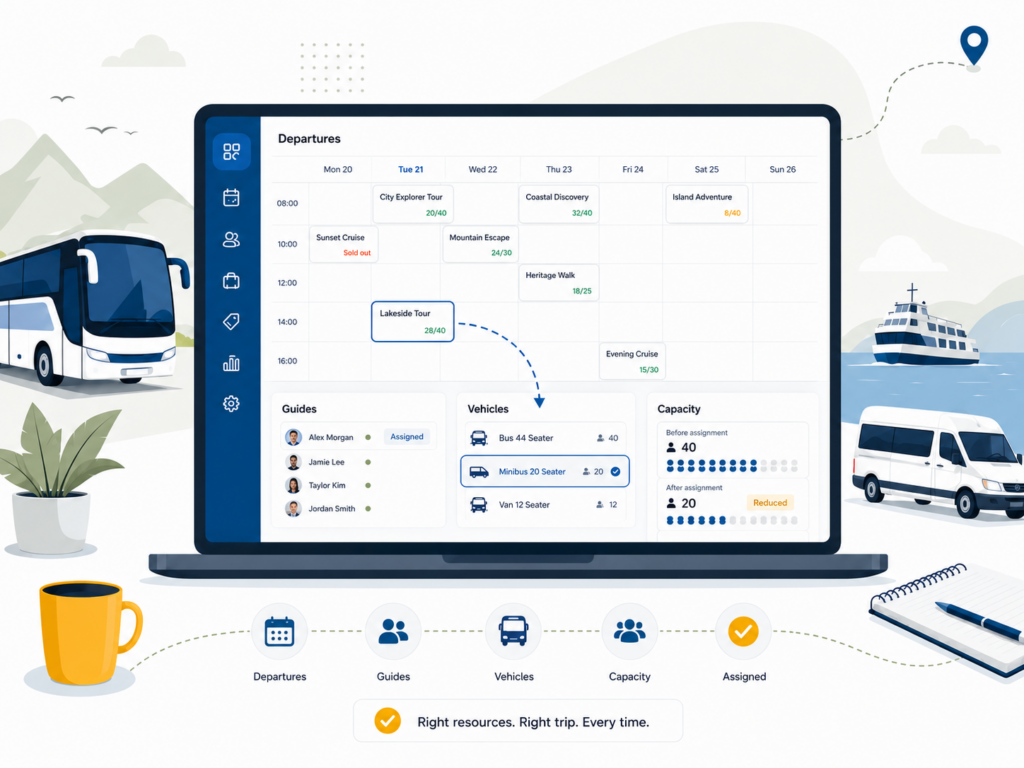
For many operators, capacity depends on more than the number typed into a product setup.
It depends on the guide.
The driver.
The bus.
The boat.
The bikes.
The room.
If tomorrow’s 40-seat vehicle suddenly becomes a 25-seat vehicle, your software should ideally understand that this is now a 25-person departure.
The same applies when you need to know which guide is assigned where, or which departures are still missing a resource.
This is one of those features that sounds relatively boring until you need it.
Then it becomes extremely interesting.
5. B2B partners who can help themselves
There is a point at which a reseller emailing:
“Hi, any space tomorrow at 10?”
stops being charming.
If you work regularly with hotels, travel agents, DMCs or other tourism partners, they should be able to access the information they need without creating an admin task every time they sell something.
Look for:
- live availability
- partner logins
- agreed rates or commissions
- self-service bookings
- booking changes
- invoicing or payment options
Palisis supports direct reseller management and B2B booking tools, while TourCMS can extend distribution through a wider network of partners.
We’ve gone into much more detail in our guide to working with B2B resellers.
6. Products that do not need a workaround
Your products should fit into the software.
Not the other way around.
That sounds obvious, but this is where demos often become interesting.
Ask the supplier to show you your awkward products.
The private tour priced by group rather than person.
The family ticket.
The product with six add-ons.
The experience with reserved seating.
The departure with different capacity depending on the vehicle.
If the answer repeatedly starts with:
“Well, normally our clients just…”
pay attention.
For seated experiences in particular, the system may need to manage seat maps, seat categories and availability at individual-seat level rather than simply counting tickets.
7. Reporting you will actually use
Every booking system has reporting.
The question is whether it answers the questions your team actually asks.
Things such as:
- which departures are filling?
- where are bookings coming from?
- which partners are selling?
- what is our walk-up versus advance-booking split?
- which products are being refunded?
- how much capacity are we actually using?
If getting the answer requires three exports, two spreadsheets and one colleague who understands the pivot table, the reporting could probably be better. Check out our reporting wizard to learn more.
It is also worth looking at integrations.
Your reservation software does not have to replace every system in the company.
It just needs to connect properly to the ones you want to keep.
The question we’d ask in every software demo
There are hundreds of individual features you could compare.
We would ask one question instead:
What will my team still have to do manually?
Because that is normally where the real difference between systems appears.
Maybe it is updating OTAs.
Maybe it is allocating guides.
Maybe it is reconciling reseller bookings.
Maybe it is moving information between the webshop and POS.
The strongest tour operator software is not necessarily the one with the longest feature list.
It is the one that removes the most annoying bits of your operation.
If you are currently comparing systems, you can explore Palisis for tours and activities or take a look at the wider Palisis platform.
FAQs about tour operator software
What is tour operator reservation software?
Tour operator reservation software manages products, bookings, availability and departures for tours and activities.
If you want a fuller explanation, read our guide to what a reservation system is.
What features should tour operator software have?
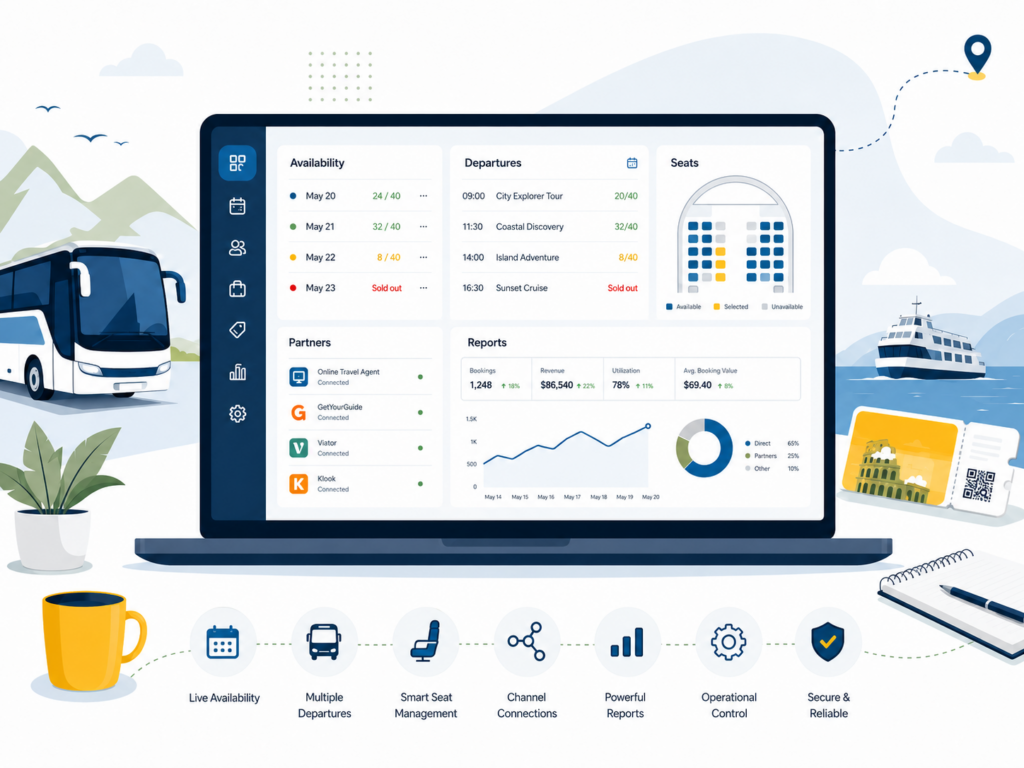
The most useful features depend on the operation, but established tour operators should generally look for real-time availability, direct and on-site sales, distribution connectivity, resource management, B2B tools, flexible product setup and useful reporting.
Can tour booking software connect to OTAs?
Yes. This can happen through direct integrations or through a channel manager.
You can read more about why operators use OTAs and how channel managers connect operators to external sellers.
What is the difference between a booking system and a channel manager?
A booking system manages your own products, availability and bookings.
A channel manager connects that inventory to external distribution partners.
They are related, but they are not the same thing.
What is B2B booking software?
B2B booking tools allow authorised partners such as hotels, travel agents and DMCs to access products, availability and booking functionality directly.
This reduces the need for every partner booking to be handled manually.