In 1947, computer scientists were running tests on the Harvard Mark II computer when they noticed a glitch. The culprit? A literal moth, trapped inside the machine. They carefully removed it, taped it into the lab notebook, and recorded it as the “first actual case of bug being found.”
Seventy-seven years later, we still use the word “bug” for software problems. Though thankfully, today’s bugs are more likely to be code quirks than flying insects.
But here’s the thing. No matter how modern your tech, everything ages. Just like a house, you can patch it up for a while. Add a new window here, a fresh coat of paint there. But eventually, the plumbing gets creaky, the wiring isn’t fit for purpose, and you hit the point where rebuilding makes more sense than keeping patching.
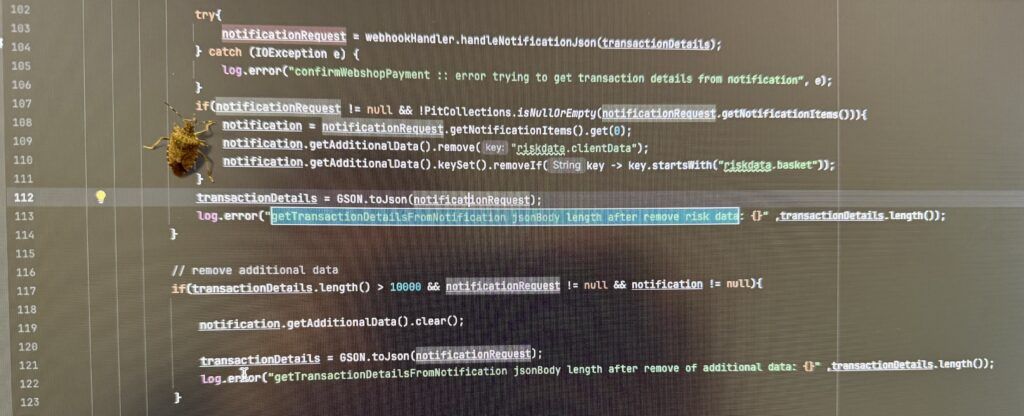
That’s exactly where we were with the Palisis Backoffice.
Why rebuild instead of patching?
When we first built the Palisis Backoffice, it was designed for the operators we worked with at the time. But the industry moves fast. The operators we serve today run more products, more channels, and more complex setups than ever before.
The danger with any system is that patching old code can create bloat. Interfaces get cluttered, things run slower, and what once felt intuitive now feels clunky. To keep Palisis healthy, we needed to start fresh. New foundations. Modern design. A structure that can scale with you.
Enter Tour Pages: A smarter way to manage products
One of the biggest frustrations we heard was that managing products felt overwhelming. Too many dropdowns. Too many separate menus. Hard to see at a glance what was working and what needed attention.
The new Tour Pages change that.
Instead of dropping straight into settings, you’ll land on a product overview that shows:
- Upcoming departures
- Booking status
- Channel performance
- Recommended actions
From there, you can dive into configurations, route details, content, pricing, translations, and more. It mirrors how operators think: start with “How is this product doing?” and then adjust as needed.
The bigger picture
Our product team, led by Josef Birchler, spends a lot of time thinking about this. It’s not about adding more features for the sake of it. It’s about keeping the platform healthy, usable, and ready for what comes next.
Because the truth is, no matter how good your tools were five years ago, if they aren’t evolving, they’ll start to hold you back.
Operators face this too. How many of us still have “temporary” spreadsheets from years ago? How many systems run on layers of old workarounds? The more streamlined your tools, the more time you save, and the better the experience for your team.
Here’s what’s new in your Tour Pages:
- A modern product overview page, so you can see what’s working and what needs attention
- Upcoming departures, booking status, and channel performance, all in one place
- Recommended actions, so you can optimise sales quickly
- Easier access to route details, pricing, translations, and more
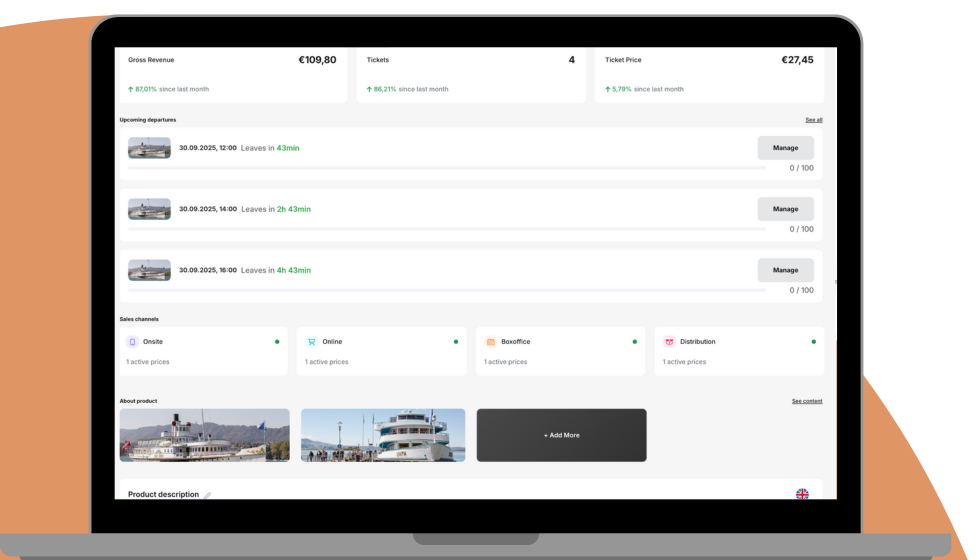
Why it matters: Managing products shouldn’t mean hunting through dropdowns. The new Tour Pages give you a clear view of product health, with fewer clicks and faster navigation.
What happens next?
The new Tour Pages will start rolling out in phases. The goal is for this to become your main landing page for products. The old setup will stick around for a while, but we’re aiming to have everyone on the new Backoffice by January, giving all our users the best experience.
If you haven’t tried it yet, now’s the time. The new back office is faster, clearer, and easier to navigate. And Tour Pages are just one part of a huge wave of improvements we’ve made. From PayPal refunds, pickup route blackouts, the reporting wizard, and the redesigned booking details view, to powerful tools like user commissioning, dynamic pricing, smart translations, the Harry AI chatbot, and much more.
After all, we’ve come a long way from literal bugs in the system. Let’s keep it that way.
Ready to get started with new tour pages and see what you can do? Check out how to maximise your success!